Product
Everything you need for QR → kitchen → served
Owner, kitchen, and guest each get a focused surface — and inventory, marketing, reports, and reservations sit beside them so the whole restaurant runs from one admin shell.
Owner admin
One shell, every surface
Live orders, menu, inventory, marketing, reservations, staff, printing — same nav, same chrome, no context switching between half a dozen tools.
Butter Chicken × 1
Garlic Naan × 3
Paneer Tikka × 1
Mango Lassi × 2
Biryani Veg × 2
Masala Dosa × 2
Filter Coffee × 2
Three surfaces, one pipeline
Owner, kitchen, and guest each get a focused surface — so onboarding stays short and your team concentrates on service.
Restaurant owner
- Live orders board with KPI cards: active, pending, preparing, ₹ revenue, and service split.
- Menu, categories, modifiers, and veg / non-veg cues — edit and publish without redeploy.
- Tables, QR codes, staff roles, and printing all in one admin shell.
Kitchen pass
- Dedicated KDS URL with a secure token — mount a tablet at the pass.
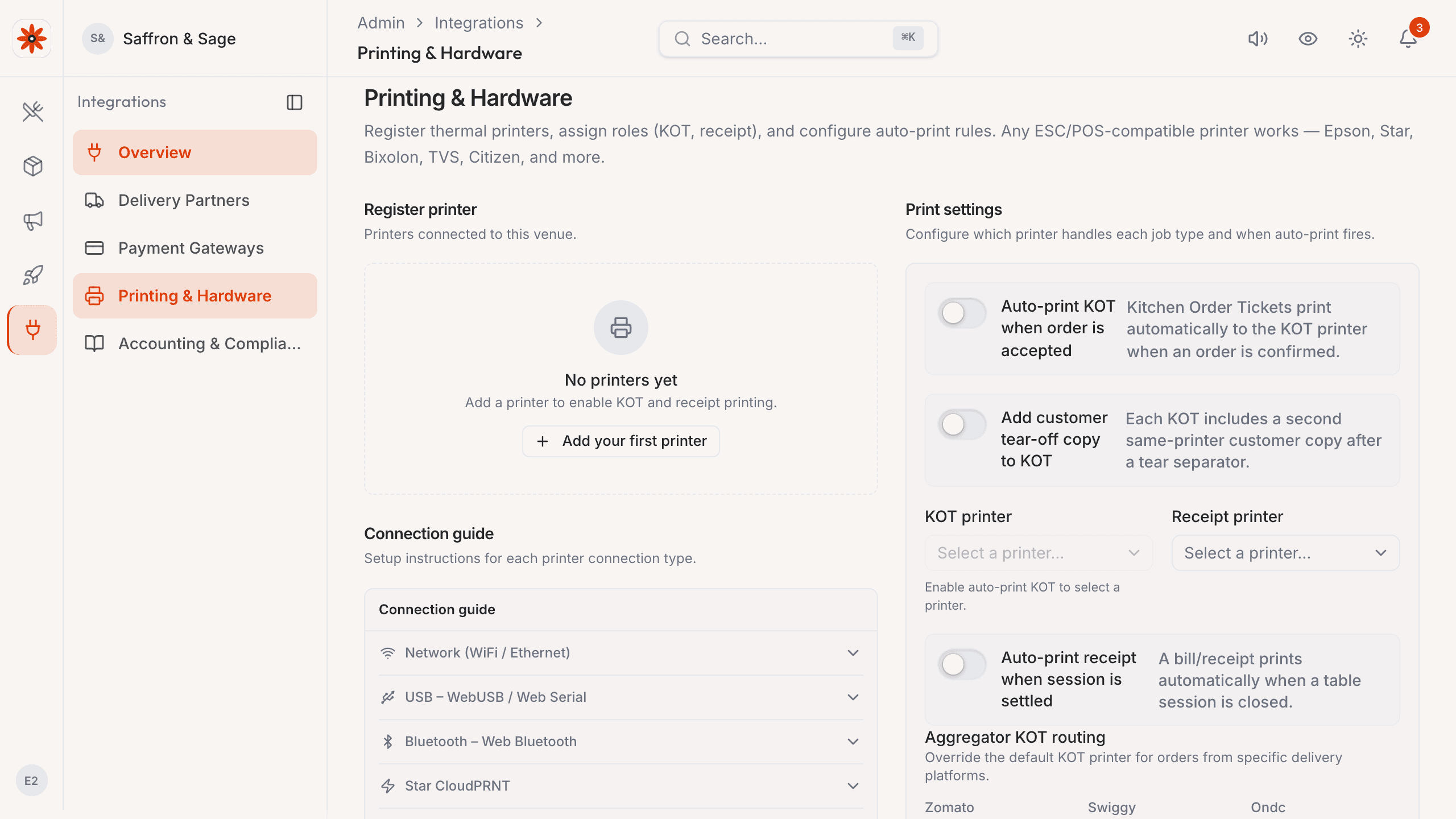
- Network thermal printer (ESC/POS) auto-fires KOTs and bills, no print dialog.
- Built for noisy kitchens and peak-hour India rush with large, legible tickets.
Guests ordering
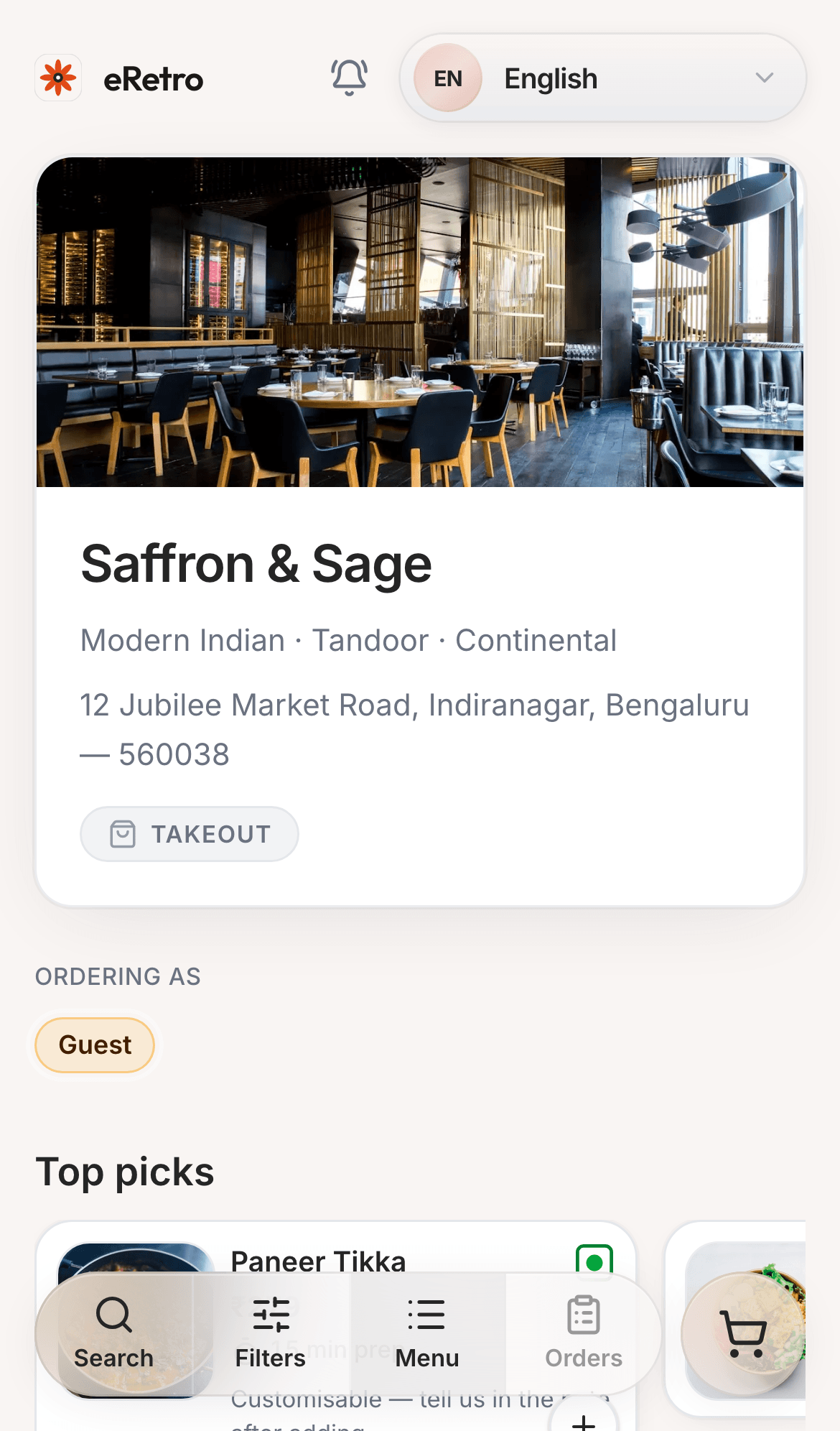
- Scan QR — no app install. Works on everyday 4G.
- Cart, notes per line, modifier groups, and a clear order confirmation.
- Takeout landing for cloud-kitchen / counter flows you enable from settings.
Service
Run the floor & serve guests
Two big screens your team will live in during dinner rush.
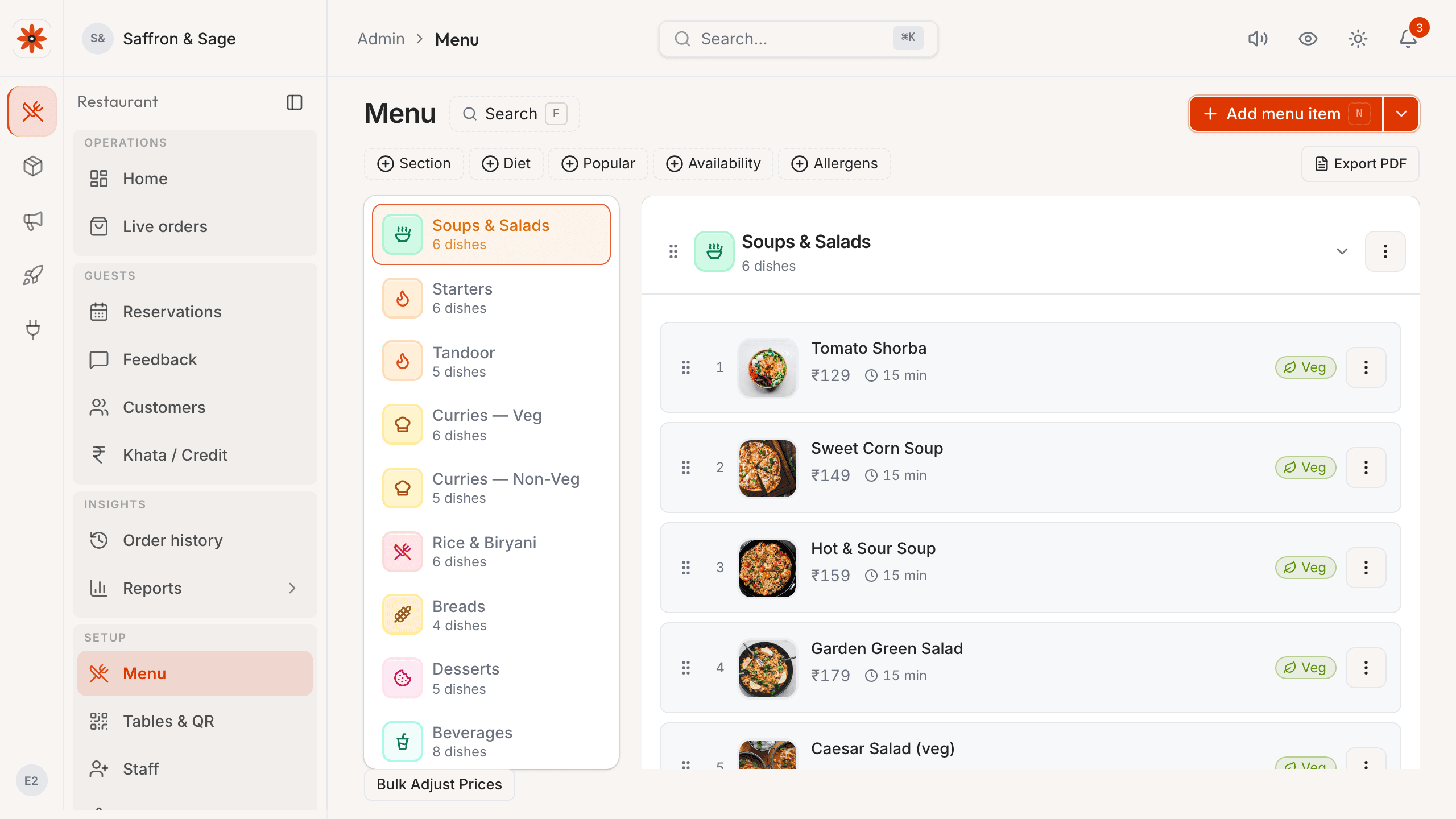
Service · Menu
A menu that publishes itself
Categories, items, modifiers, veg / non-veg cues, prep times, availability toggles, image upload — and a live preview that matches what guests see on their phones.
- Drag-to-reorder sections and dishes; publish changes from the same menu source, then verify the live guest view.
- Modifier groups for half/full, spice level, add-ons — shared across dishes.
- Bulk CSV export / import for menu migrations from another POS.
Service · Tables
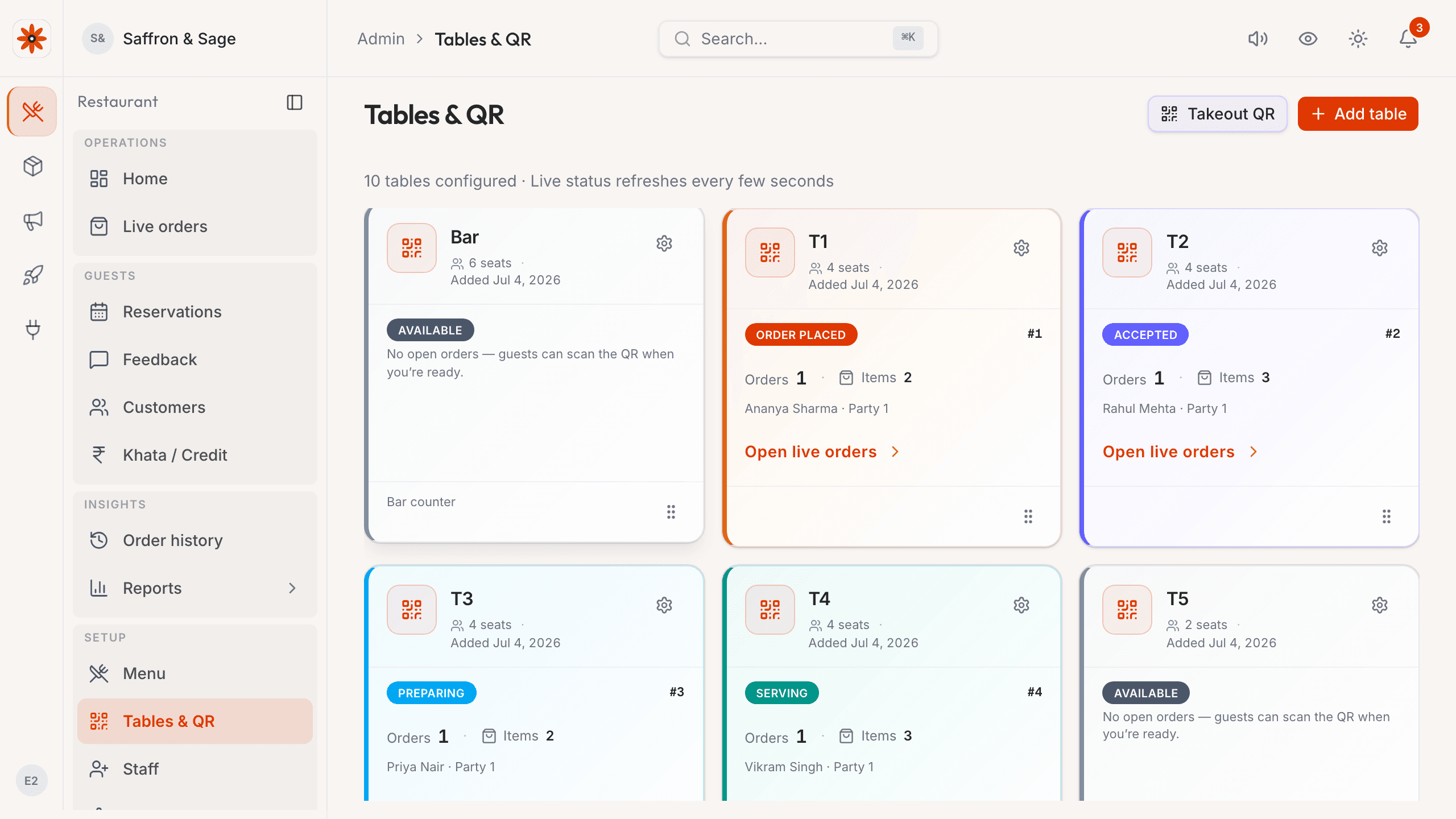
Tables & QR codes
Per-table QR PNGs you print and stick. One URL per table — no scanner app needed for guests, no QR app for owners.
- Generate, download, and re-print QRs per table; labelled and trackable.
- Control which tables show online; flip a table to closed for off-service hours.
- Takeout / delivery flows use a single restaurant-wide QR.
Stock control
Inventory built for real Indian kitchens
Recipe-aware stock deduction, purchase orders, supplier receiving, and food-cost reports that owners actually read.
Stock · Items
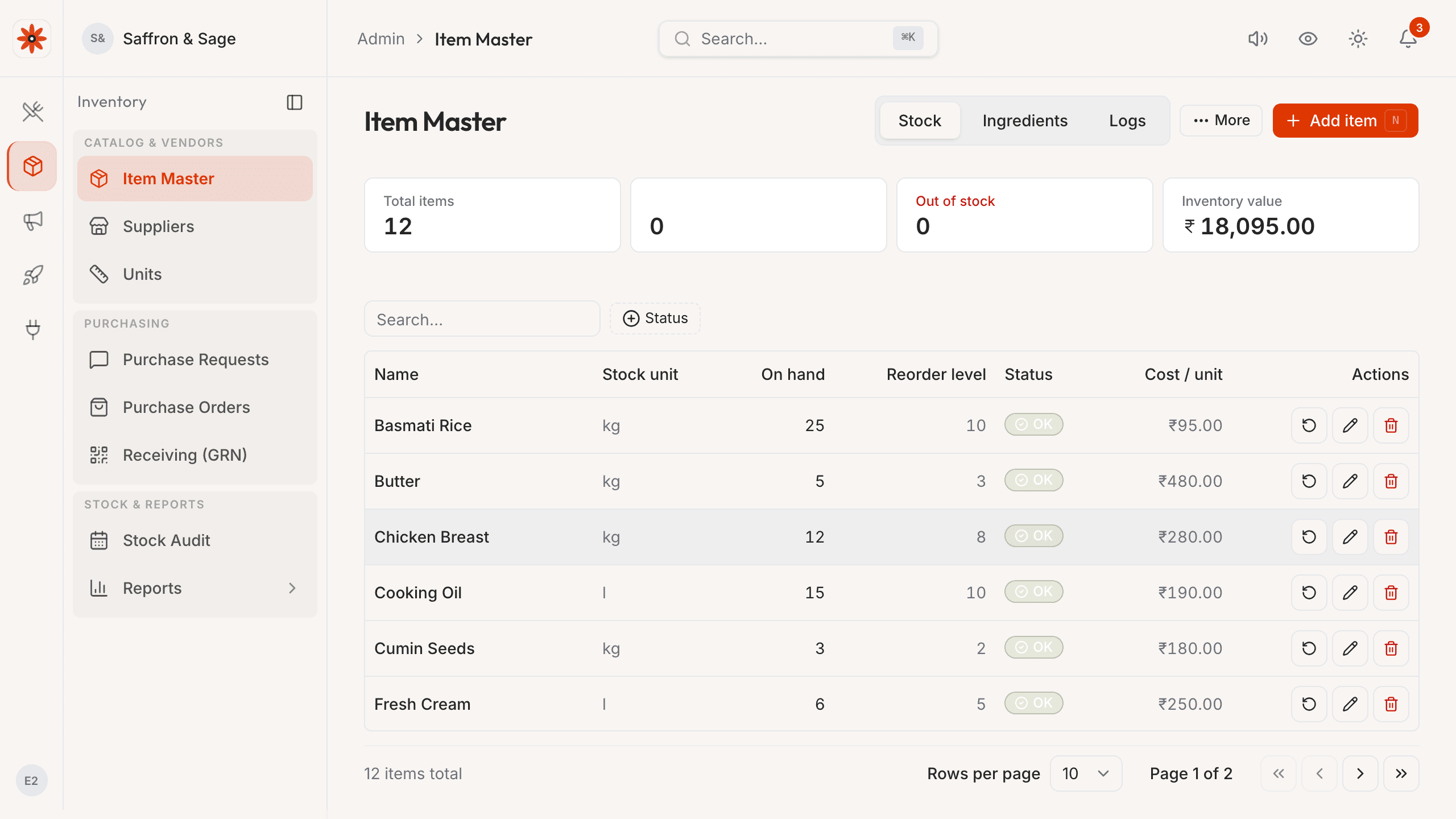
Ingredients tracked down to the masala
Track every ingredient — Basmati Rice, Paneer, Ghee, Garam Masala — with stock-on-hand, reorder thresholds, cost per unit. Recipe links auto-deduct stock as orders fire.
- Status badges (OK / Low / Out) right in the list; one-click restock.
- Auto-create purchase requests for items below par level.
- Stock unit catalogue (kg, pcs, litres) so units never get crossed.
Stock · Reports
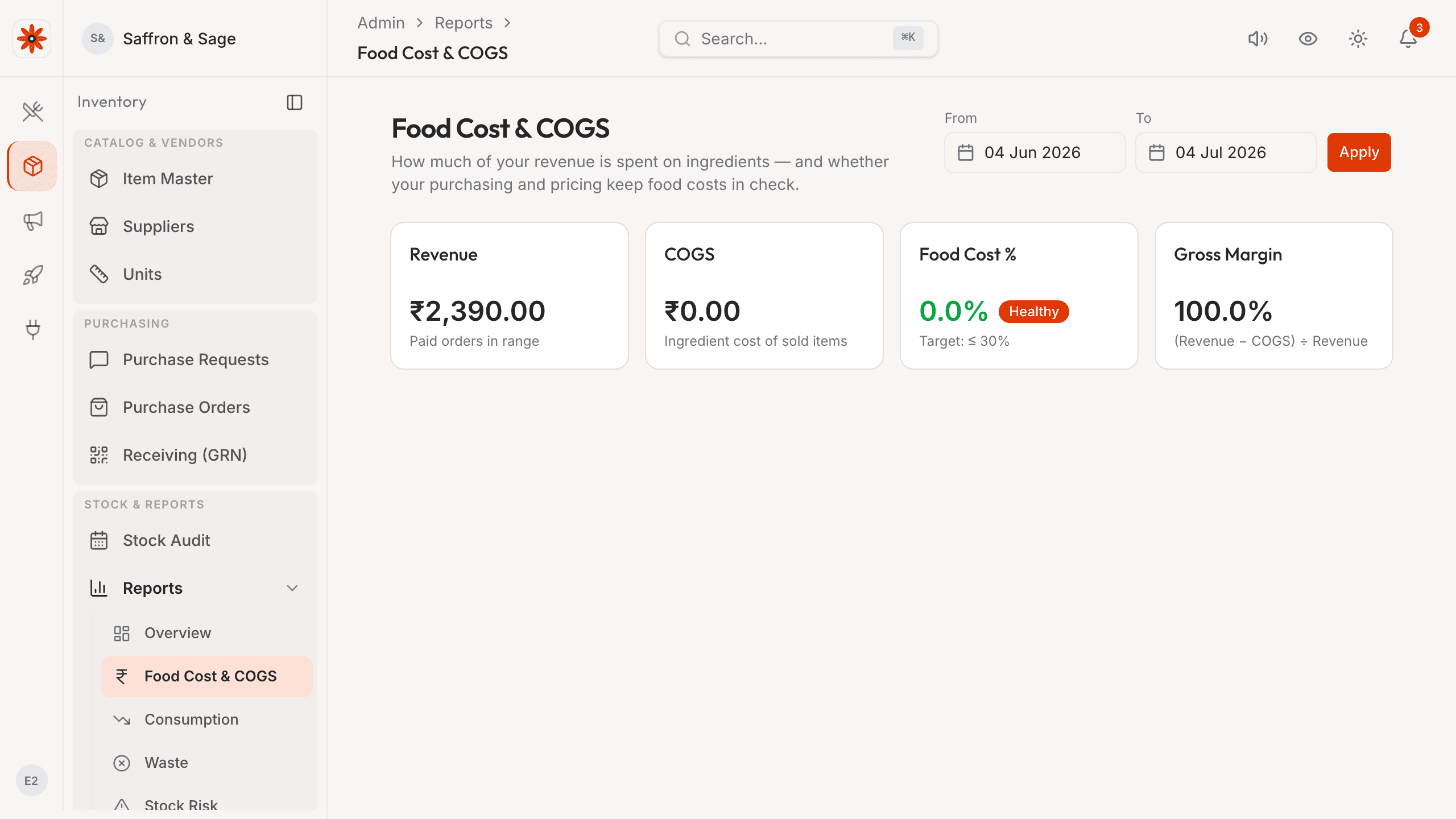
Food cost reports in plain rupees
Revenue, COGS, food cost %, waste breakdown, and low-stock alerts over any date range in your timezone — exportable for accountant review alongside your configured tax records.
- Food Cost % with a healthy/warning/critical band — owners read it at a glance.
- Consumption tracked by ingredient, not just by order — see the actual leak.
- Export everything as CSV; no lock-in.
Stock · Purchasing
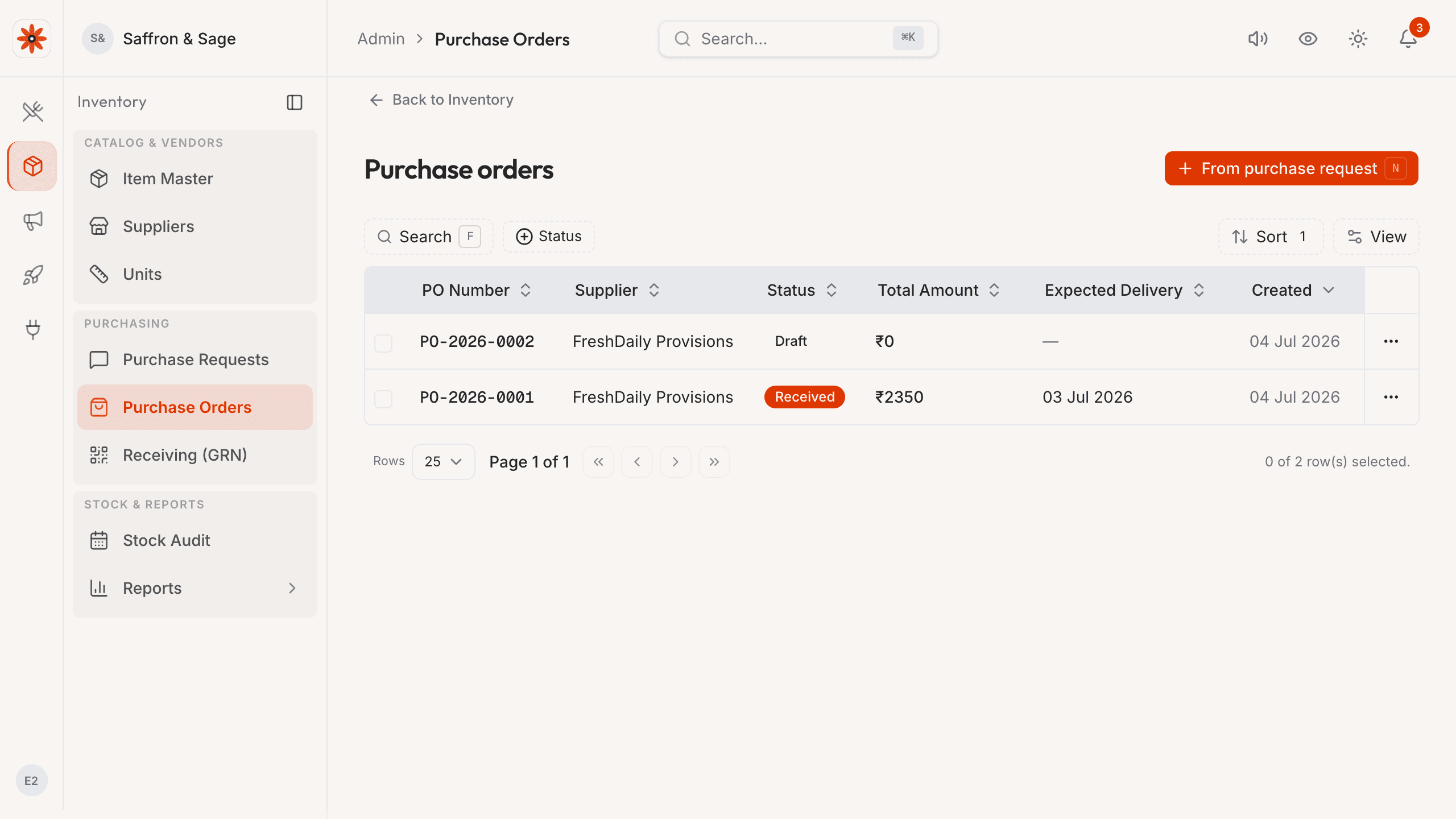
Purchase requests & supplier receiving
Internal purchase requests, supplier POs, goods-received notes with batch numbers, supplier returns — every move logged.
- Approval workflow: chef raises PR → manager approves → supplier gets PO.
- Receive against PO with shortage / overage handling.
- Supplier returns with explicit reason codes; stock can't go negative silently.
Growth
Get diners back — with their own data
Every guest order captures phone + spend; marketing, customer history, and reservations are first-class — not afterthought add-ons.
Growth · Customers
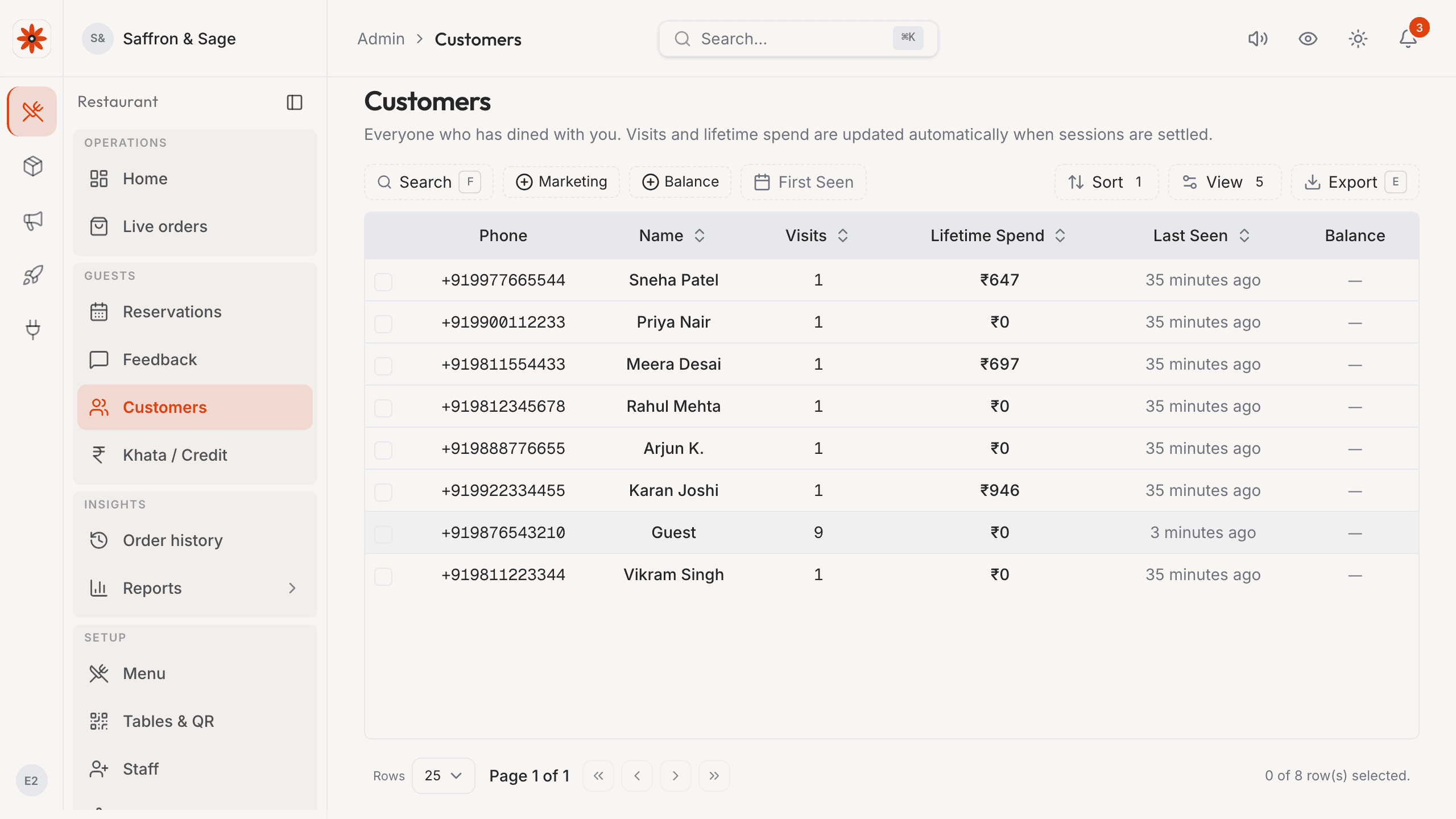
A diner directory that pays its rent
When guests provide their details, owners can review order history and spend alongside marketing and reservations in the same operating surface.
- Lifetime visit + spend per phone number, last-seen, marketing opt-in.
- Filter by recency, party size, ticket size for targeted outreach.
- Customer detail view shows every order they've placed and what they ordered.
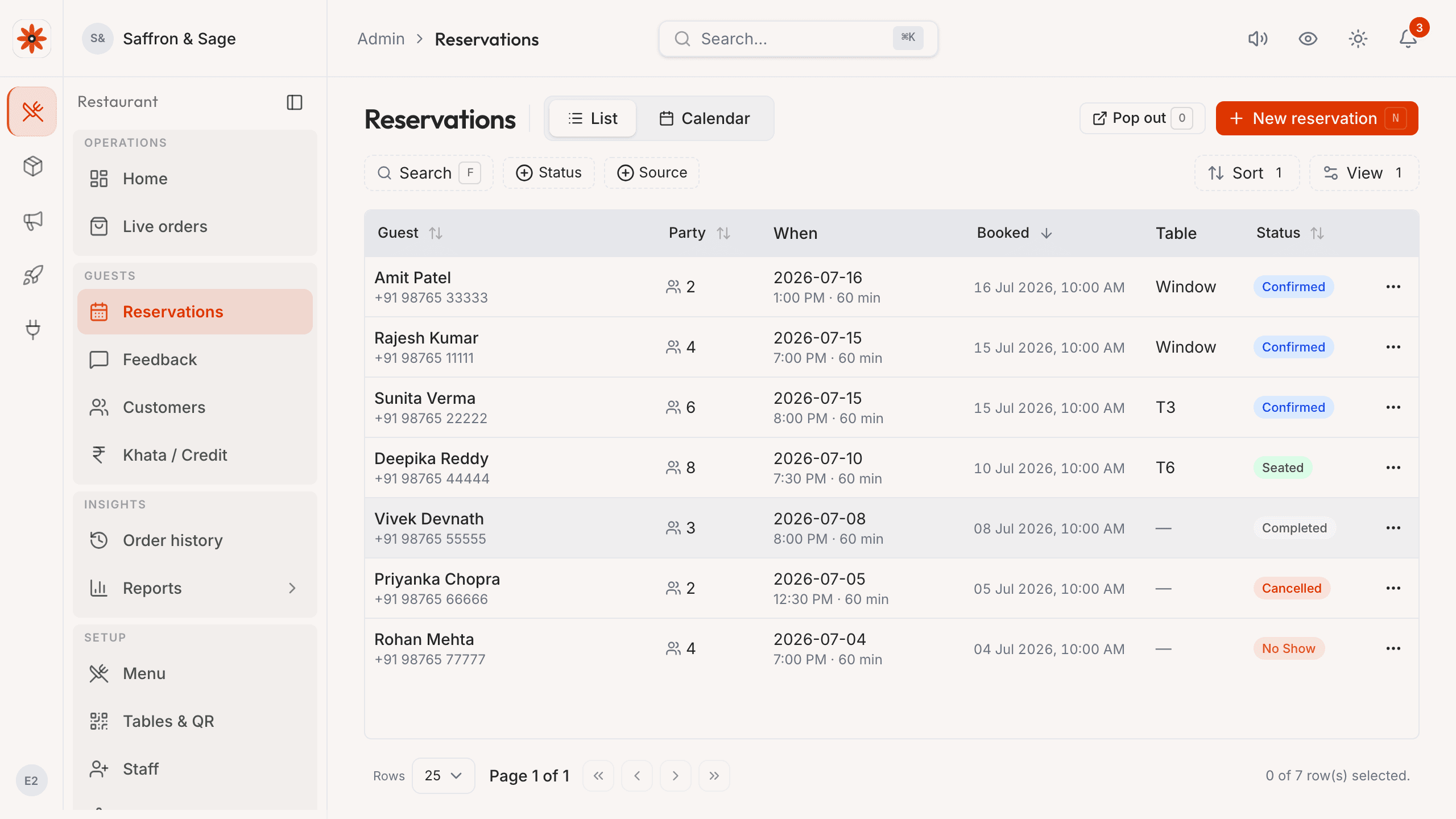
Growth · Reservations
Bookings that respect your floor plan
Take + manage reservations with party-size-aware table assignment. Slot availability matches what you actually have — not a fake calendar.
- Party-size-aware slot search; the system only offers slots a table can actually seat.
- List + calendar views; reschedule by drag.
- Walk-in vs reserved distinction so the floor knows who's expected.
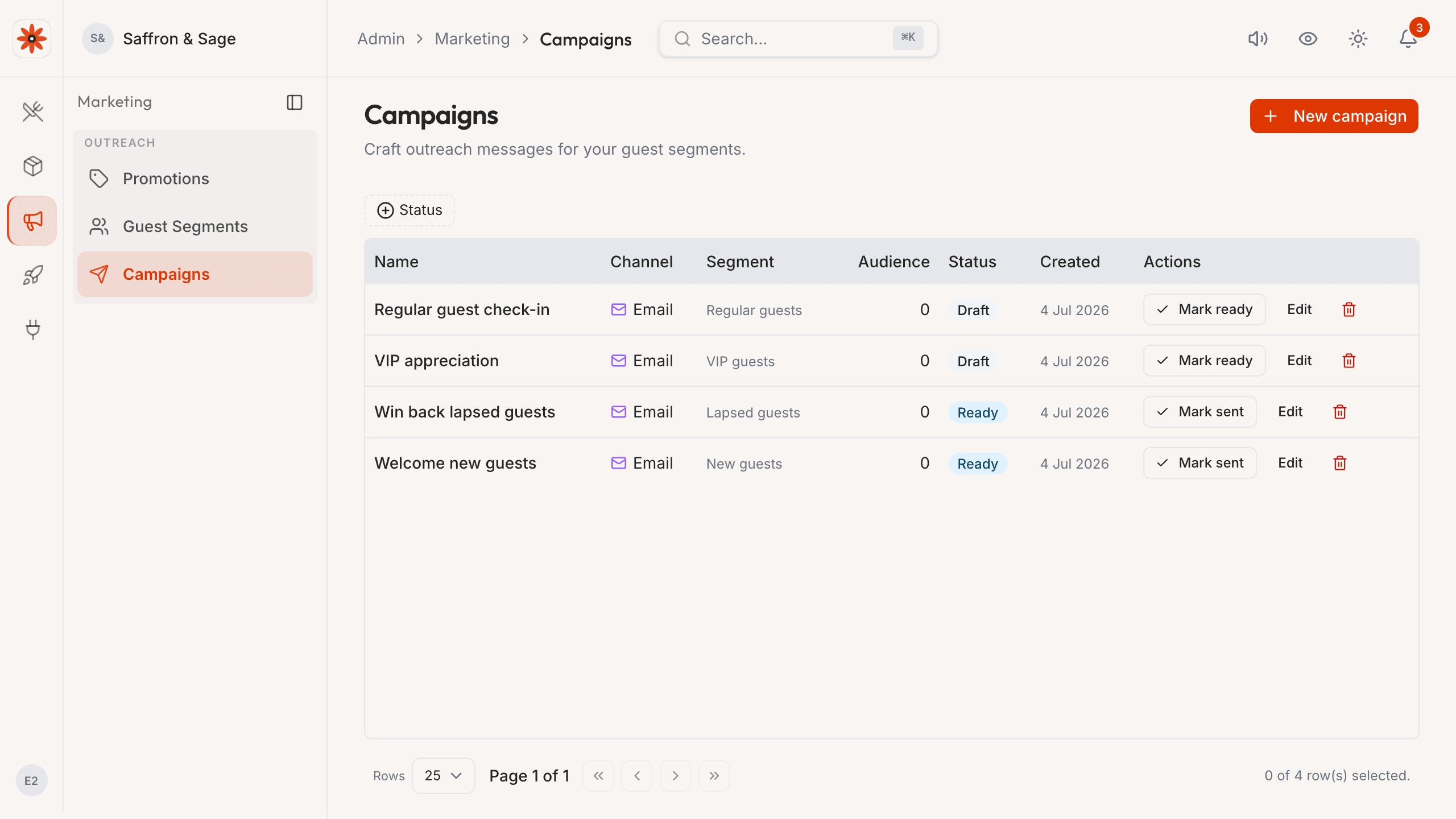
Growth · Marketing
WhatsApp / SMS / email through your own channels
Segment customers by visit frequency, draft a campaign once, and send through the channel each guest opted into using the venue's configured provider account.
- Templates for festival pushes, win-back, birthday — start from a real one.
- WhatsApp Cloud API + SMS gateway + SMTP — bring-your-own credentials.
- Review send, open, and reply activity alongside customer history.
End-to-end flow
From first scan to the last plate
The same three beats your floor already runs — connected so guests, runners, and the pass stay aligned.
- 01
Scan & browse
Guests open your menu in the browser with clear price lines, veg cues, and modifiers that stay attached to the parent dish.
- 02
Confirm to pass
Orders hit the kitchen as a single ticket — no duplicate chits floating between WhatsApp and paper.
- 03
Serve with clarity
Table-aware labels align runners, billing, and the floor so the last mile matches the first tap.
Scan table QR
Point camera at the QR on your table
Surfaces at a glance
The owner admin is the primary canvas. KDS, guest mobile, and printing all live next to it in the same shell.
Menu builder
55 dishes, modifier groups, and publish controls — same nav as every other surface.
Kitchen printing
Network ESC/POS printers, auto-print on accept.
Guest web menu
No install; one URL per table QR.
Next step
See it on your floor
Request access, read the guides, or compare plans.